The examination score report is available to download from your Pearson account 24 hours after taking your Fortinet certification exam.
- Log into your Pearson account at https://home.pearsonvue.com/fortinet
- Click View score reports on your Pearson dashboard page
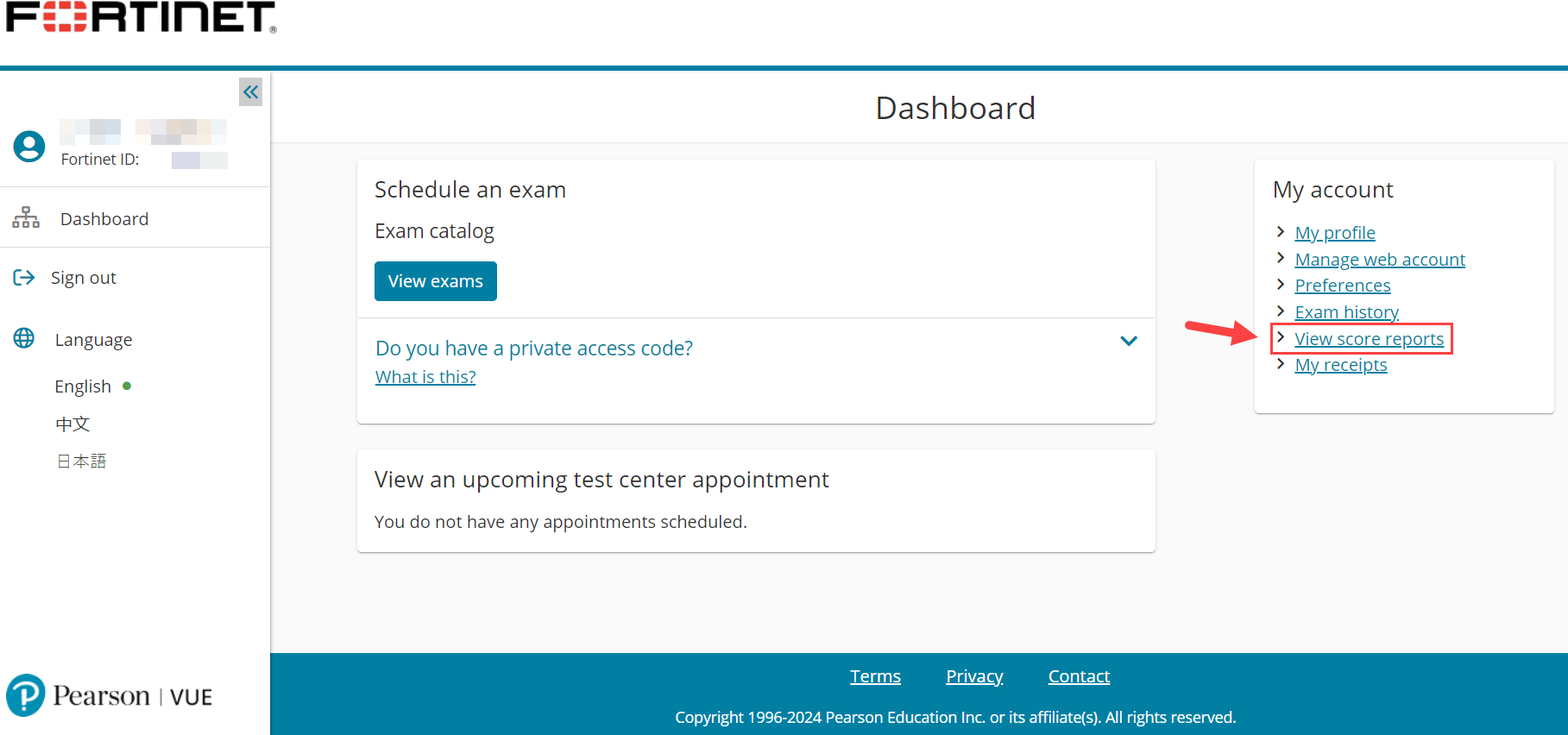
- Select and download your desired examination score report.
The examination score report is the official record of completing an exam at Pearson. It includes the examinee's name, the exam completed, the examination date, and the pass/fail result. A bar chart based on a 0-100% scale shows performance by exam section. For more information, see Examination Score Report.
As all exam results are subject to review, the score report is available to examinees for informational purposes only for the exam session completed. Passed exams are recognized with a digital exam badge issued by the Fortinet Training Institute. For more information, see Do exam badges replace exam completion certificates?
Example of Examination Score Report: 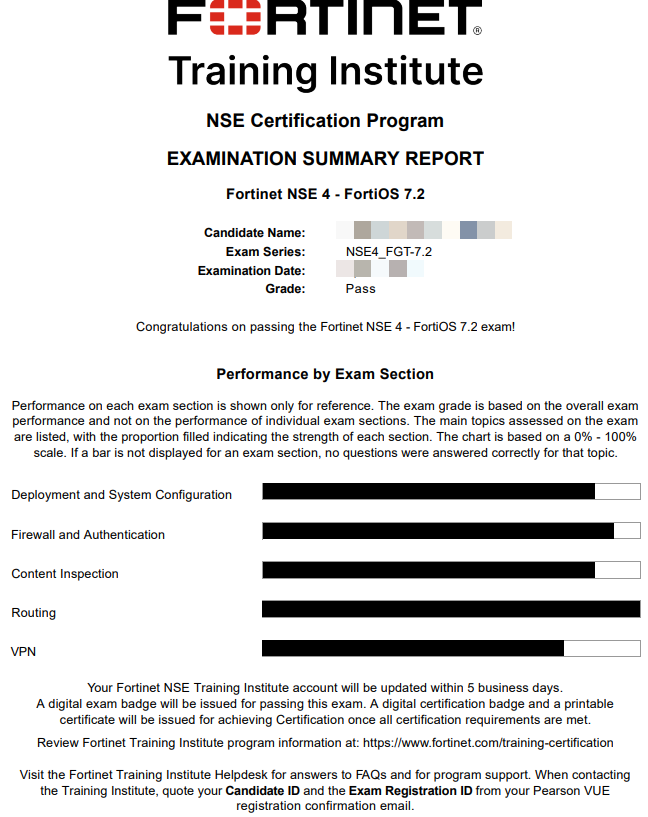
Was this article helpful?
That’s Great!
Thank you for your feedback
Sorry! We couldn't be helpful
Thank you for your feedback
Feedback sent
We appreciate your effort and will try to fix the article